
SiteAuditLint AgencyWhite-label SEO audits for every client, paid for once.
Agency includes everything in Pro and adds the client side of the job: your agency name and logo on every HTML and PDF report, Google Search Console and GA4 traffic behind each issue, audit alerts in Slack with the full issues CSV, and Linear tickets that update themselves after every crawl.
Windows desktop app. One payment, no per-client or per-seat fees, no subscription.
- Everythingin Pro, unlimited URLs
- $159one-time, no renewal
- Your brandon every client report
- 4built-in integrations
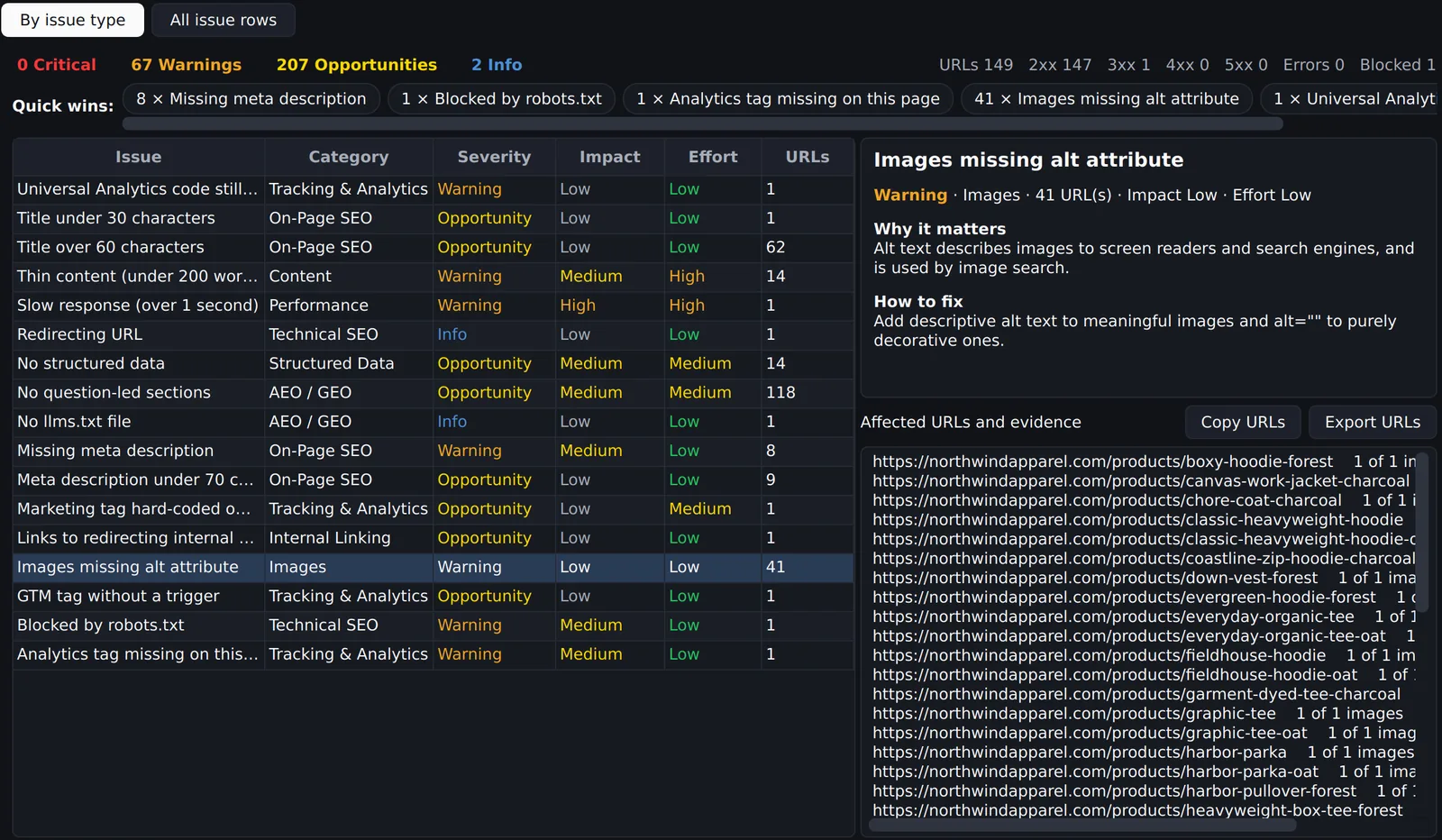
The tools an SEO agency needs after the crawl.
Pro gives you the audit. Agency connects it to your client reporting, your traffic data, and the tools your team already works in.
White-label report branding
Set your agency name, logo (PNG, JPG or SVG), accent colour, footer contact line and an intro note. Each report shows "Prepared for" your client, and you can hide the "with SiteAud!tLint" credit.
SEO audit reportsGoogle Search Console per URL
After each audit, clicks, impressions, CTR and average position for every audited URL (last 28 days by default) are added to the Action Plan, so an issue on a page with 3,000 clicks outranks one on a page nobody visits.
GSC analyzerGoogle Analytics 4 per URL
Sessions, engagement rate and key events per audited URL, from the client's GA4 property, sit next to each issue in the Action Plan report and CSV. One Google Cloud service account key covers both GSC and GA4, with read-only access.
Action PlanSlack audit alerts
Post a summary after every audit, or only when something gets worse: new critical issue URLs, or site health dropping 5 points or more. Connect a Slack bot and the full issues CSV is uploaded into the message thread.
Scheduled auditsLinear tickets that maintain themselves
One ticket per issue type per site, with priority set by severity. Each audit updates the URL list and comments on what is new or fixed, moves a fixed issue to Done, and reopens it if it comes back.
Pro vs AgencyRecurring client audits
List client sites in one file and schedule daily or weekly audits with Windows Task Scheduler. Each run is saved to History, syncs Linear, posts to Slack, and can include an AI visibility check every few days.
Scheduled SEO auditsOne audit, four outputs, no copy and paste.
Integrations run in a fixed order after every audit, so each step can use the one before it.
- Crawl the client siteUnlimited URLs, every SEO, AEO/GEO and tracking check, compared with the last audit.
- Attach the trafficSearch Console and GA4 metrics are pulled per URL and added to the Action Plan.
- File the ticketsLinear tickets are created or updated, then Slack links each issue line to its ticket.
- Send the branded reportExport the full report or Action Plan as a white-label PDF with your logo and the client's name.
Prioritise by traffic, not just severity
A technical SEO audit usually ends with a long list sorted by severity. With Search Console and GA4 connected, the Action Plan shows the clicks, impressions and sessions behind every affected URL, so the client sees why a redirect chain on their top landing page comes before 200 missing alt attributes on old blog posts.
- Clicks, impressions, CTR and position from Search Console
- Sessions, engagement rate and key events from GA4
- Service account key stored in Windows Credential Manager
The $60 difference.
Both editions crawl unlimited URLs and include every audit feature. Agency adds client reporting and integrations.
| Feature | Pro | Agency |
|---|---|---|
| Unlimited URLs, Action Plan, audit comparison, backlinks, AI Visibility | Yes | Yes |
| Full HTML and PDF reports, light or dark theme | Yes | Yes |
| White-label branding: logo, agency name, client name, accent colour, footer | No | Yes |
| Google Search Console data per URL | No | Yes |
| Google Analytics 4 data per URL | No | Yes |
| Slack messages with the issues CSV | No | Yes |
| Linear ticket sync | No | Yes |
| Price | $99 once | $159 once |
For teams that report to someone else.
SEO agencies
Run monthly technical SEO audits for every retainer client and send reports under your own brand, with no per-client fee that grows as you sign accounts.
Freelancers on retainers
Look like a bigger shop: a branded PDF, a Slack alert to the client channel when something breaks, and a progress chart every month.
In-house teams with a dev backlog
Turn SEO issues into Linear tickets that stay in sync, so developers see the affected URLs and fixes close themselves after a clean crawl.
Web design and development studios
Hand over every launch with a branded SEO audit, then offer scheduled audits and SEO monitoring as an ongoing service. How we run SEO monitoring.
Pay once. Keep it.
One-time payment through Lemon Squeezy. No subscription, no license key, no account. Runs locally on Windows. Prefer to try first? Download Free for 100 URLs per audit.
Pro
$99one-time
Unlimited URLs per audit
- Action Plan with HTML, PDF and CSV export
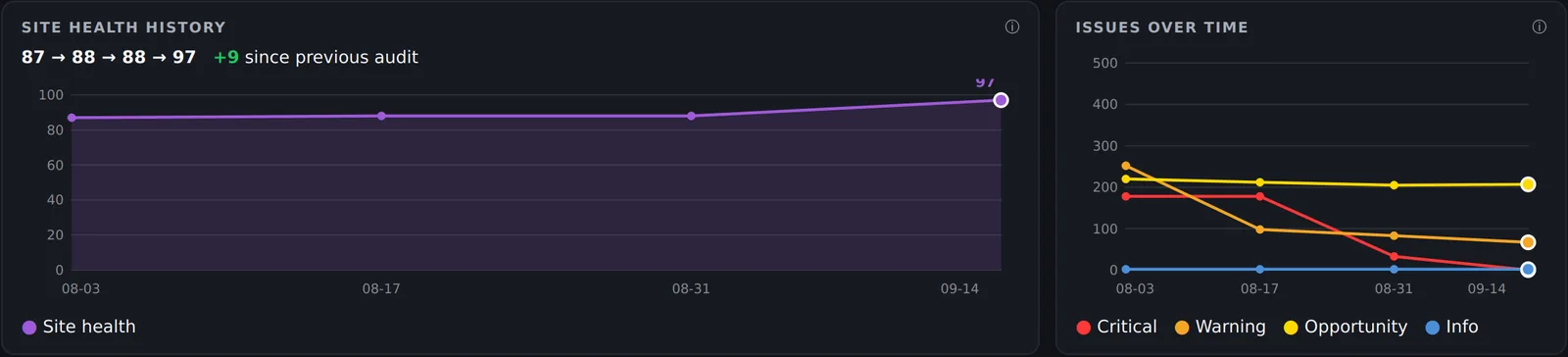
- Audit comparison and score history
- Backlink import and AI Visibility
- Full HTML and PDF reports, light or dark
Agency
$159one-time
Unlimited URLs per audit
- Everything in Pro
- White-label report branding
- Search Console and GA4 data per URL
- Slack alerts and Linear tickets
Not sure which one? Compare Pro vs Agency in detail.
Questions, answered.
Is SiteAuditLint Agency a subscription?
No. Agency is a one-time payment of $159 through Lemon Squeezy, with no monthly fee and no per-client, per-site or per-seat pricing.
What is included in white-label reports?
Your agency name, logo (PNG, JPG or SVG under 2 MB), accent colour, footer line and an optional intro note, plus a "Prepared for" client name. You can also hide the "with SiteAud!tLint" credit in the footer. Branding applies to HTML and PDF exports of the full report and the Action Plan.
How do Google Search Console and GA4 connect?
Create one Google Cloud service account, add its e-mail as a user in Search Console and as a Viewer on the GA4 property, then paste the JSON key in Settings, Connections. Access is read-only, and the key is stored in Windows Credential Manager.
Which integrations are built in?
Google Search Console, Google Analytics 4, Slack and Linear. They run in that order after each audit, so Slack messages can link to Linear tickets and show the traffic behind each issue.
Will Linear close tickets for pages the crawl did not check?
No. A ticket only moves to Done after a complete audit that did not hit a page limit, and audits you stop by hand never touch Linear. Tickets you cancel in Linear are left alone for good.
Can I schedule audits for many client sites?
Yes. List the sites in scheduled_sites.txt, then use Schedule audits to create a daily or weekly Windows Task Scheduler task. Each audit is saved to History and posts to Slack, and a failed audit posts a failure message.
Does client data leave my computer?
Audits are stored locally. Search Console and GA4 data is pulled from Google straight to your PC, and Slack and Linear only receive what the app posts to your own workspace.
Do I get updates with Agency?
Yes. Download new versions from your Lemon Squeezy order (My Orders). See the release notes.